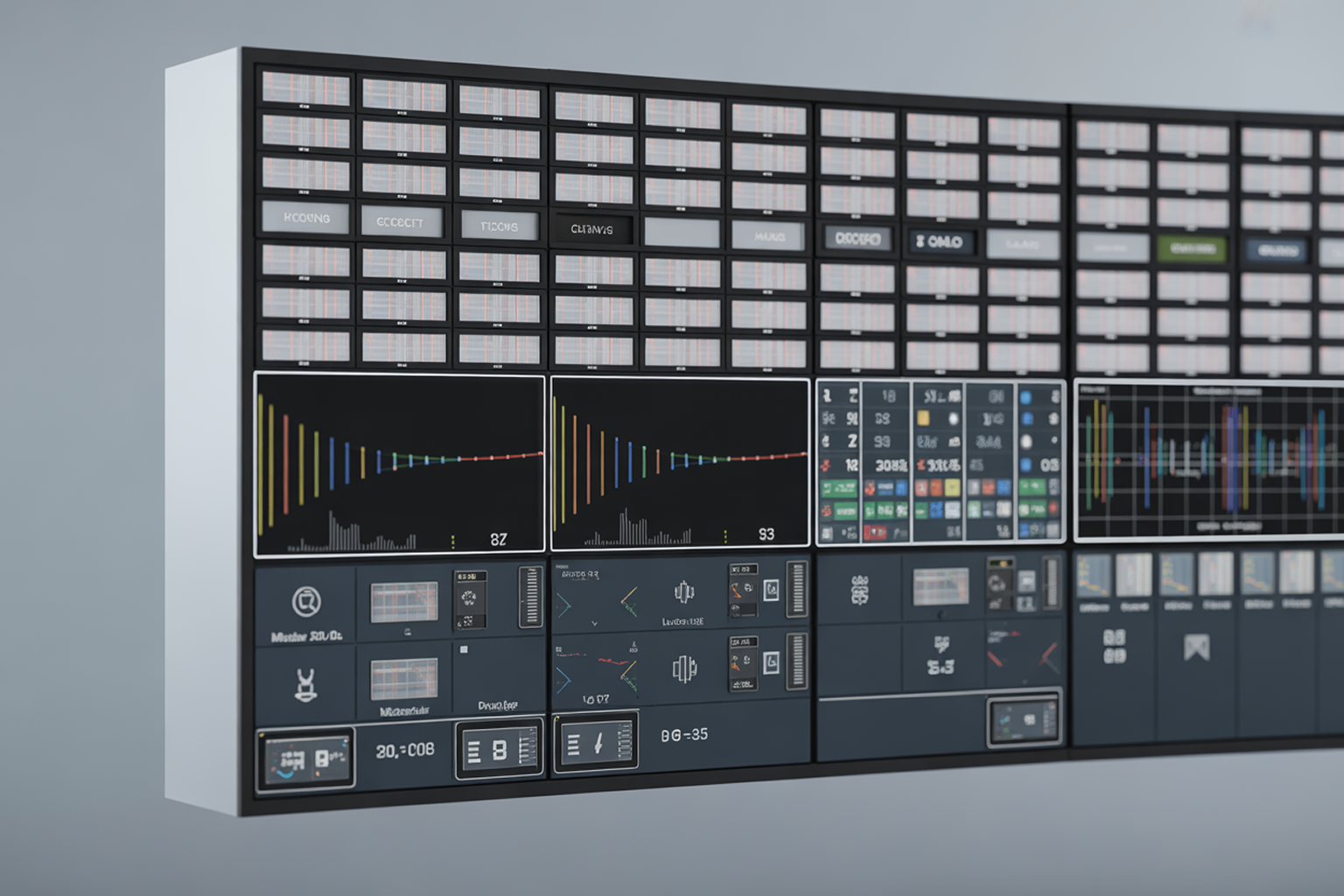
A control room has forty channels on the wall and two operators on shift.
Ask either of them how many tiles they are actually watching at any moment. The answer is three or four. The rest are decoration until something goes visibly wrong, and by then a viewer has usually noticed first.
That is not a staffing failure. Human attention does not scale to forty simultaneous feeds, and it never did.
Multiviewer monitoring exists because of that ceiling. The mosaic stays, because operators need visual context. What changes is that software watches every tile continuously and tells people where to look.
What Is Multiviewer Monitoring?
Multiviewer monitoring is the practice of combining a multi-source video mosaic with automated, continuous analysis of each source, so that signal, audio, caption, and quality faults are detected and alarmed by software rather than depending on an operator noticing them on screen.
Two halves, and both matter.
The multiviewer is the display layer. It tiles multiple sources into one output, usually with under-monitor displays, tally indicators, and audio meters, so a person can see many channels at once.
The monitoring is the analysis layer. It inspects each source against defined thresholds and raises alarms when something falls outside them, whether or not anyone is looking.
A wall without the second half is a wall of televisions.
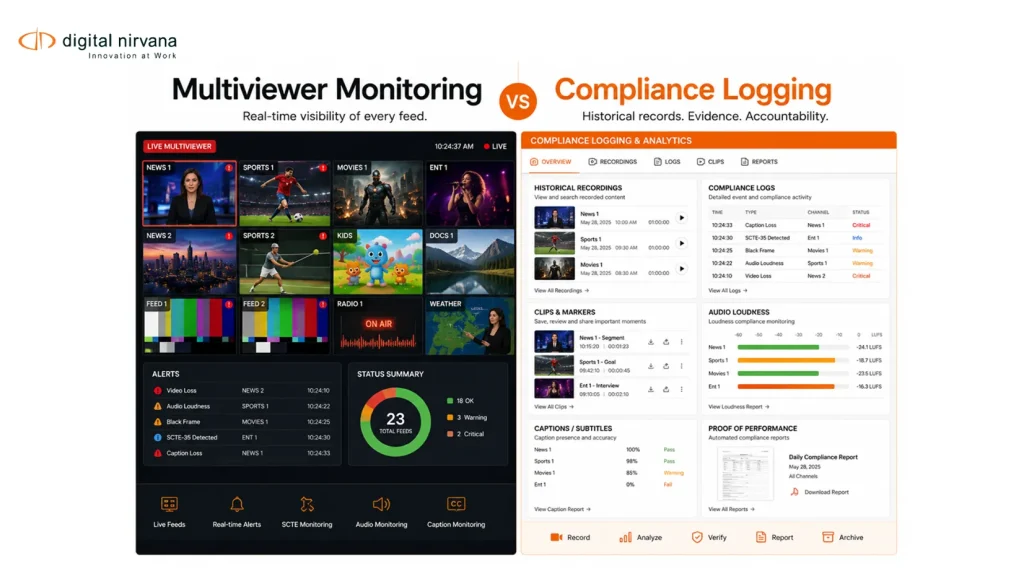
Multiviewer, Monitoring, and Logging Are Three Different Things
These get conflated constantly in procurement conversations, and the confusion produces the wrong purchase.
| Layer | Answers | Time horizon | Primary user |
| Multiviewer | What does it look like right now? | Present | Master control operators |
| Monitoring | Is anything outside threshold right now? | Present, continuous | Engineering, operations |
| Compliance logging | What actually aired, and can we prove it? | Historical | Legal, standards, ad operations |
Monitoring tells you something is wrong while you can still fix it. Logging proves what happened after somebody asks. Most operations need all three, and buying one expecting it to cover another is a common and expensive mistake. Our comparison of multiviewer alternatives covers where the boundaries fall in practice.
What Multiviewer Monitoring Actually Checks
The useful question is not whether a system monitors, but what it inspects.
Video faults. Black frames, frozen frames, and loss of signal. The simplest checks, and the ones that catch the most embarrassing failures.
Audio faults. Silence, low level, channel imbalance, and missing tracks.
Loudness. Measured against ITU-R BS.1770 based practice, applied through ATSC A/85 in the US under CALM Act obligations, or EBU R 128 in Europe. Drift is a compliance exposure, not just an annoyance.
Caption presence and integrity. Whether a caption track exists, and whether it carries data rather than empty packets. Absence is a regulatory problem, not a cosmetic one.
Transport stream health. Continuity errors, PID issues, and bitrate anomalies, commonly framed against ETSI TR 101 290 error priorities.
Ad markers. Presence and validity of SCTE-35, SCTE-104, and SCTE-224 messages, which is where monitoring starts protecting revenue rather than quality. That shift is covered in our piece on AI broadcast monitoring for compliance and QoE.
Why the Video Wall Alone Stopped Working
Three things broke the watch-the-screens model.
Channel count grew. Regional variants, FAST channels, and OTT renditions multiplied outputs without multiplying staff.
Delivery paths multiplied. The same content now leaves as SDI, transport stream, OTT renditions, and set-top output. A fault can exist on one path and not another, which a single mosaic will not reveal.
Failures got quieter. A dead channel is obvious. Loudness drifting two units over several weeks, or captions silently dropping on one rendition, is not visible on a tile at all. Those are precisely the faults that generate regulatory contact.
Visual monitoring catches loud failures. Automated monitoring catches quiet ones, and quiet ones are the expensive category.
Hardware, Software, and Cloud
Traditional multiviewers were dedicated hardware, valued for very low latency in live production switching. For hands-on-switcher work that remains the right tool.
Software multiviewers run on commodity or virtualized infrastructure, scale channel count more flexibly, and are far easier to extend with analysis and alarming. Cloud and browser-based monitoring adds remote access, which stopped being a convenience once multi-site groups began expecting engineering, legal, and ad sales to reach the same channels without a trip to master control.
Most operations end up with a mix: low-latency hardware where production demands it, software monitoring and logging across everything else.
What Changed with IP
The SDI to IP transition altered what monitoring has to understand.
In an ST 2110 environment, video, audio, and ancillary data travel as separate essence streams rather than one embedded signal. Monitoring has to correlate them, and new failure modes appear, such as audio and video arriving intact but not aligned. Redundancy through ST 2022-7 and connection management through the AMWA NMOS specifications add further things that can be unhealthy while the picture still looks fine.
Practical consequence: in IP plants, a tile that looks correct is weaker evidence than it used to be. Monitoring that inspects only the rendered picture is inspecting the wrong layer.
Designing Alarms People Respond To
The most common failure in monitoring deployments is not missed faults. It is ignored alarms.
- Set thresholds to operational reality, not to specification minimums
- Use duration qualifiers, so a two-frame black does not page anyone
- Tier severity, and route only the top tier to interruption
- Group related alarms, because one encoder fault should not generate forty notifications
- Assign an owner per alarm class, not to a shared inbox
- Review threshold performance monthly and retune, because alarm sets go stale
If operators have started ignoring a category of alarm, that category is miscalibrated. Treat persistent noise as a configuration defect rather than an operator discipline problem.
Where Monitoring Ends and Evidence Begins
An alarm is a moment. A regulator’s question is about a window.
When someone asks whether captions were present during a specific programme three months ago, or whether a spot aired inside a contracted break, real-time monitoring cannot answer. Only recorded, timecoded, searchable content can.
That is why monitoring and compliance logging belong in the same design conversation even when they are different capabilities. Detection protects the viewer experience now. Logging protects the organization later, and our guide to broadcast compliance monitoring and proof of performance covers what regulators and advertisers actually expect to receive.
Deployment Checklist
- Input coverage matched to every delivery path you run, not just the primary
- Black, freeze, and silence detection with duration qualifiers configured
- Loudness measurement against the standard your region enforces
- Caption presence and data integrity checks, per rendition
- SCTE marker validation if ad revenue depends on it
- Transport stream error monitoring for IP and RF paths
- Browser-based multi-site access for non-engineering teams
- Recording and retention aligned to your regulatory obligations
- Clip export that a legal or sales colleague can operate unaided
- Alarm ownership assigned by class, with a named responder
Common Misconceptions
“We have a multiviewer, so we have monitoring.” Only if it analyses rather than displays. Ask which conditions it detects automatically and what it does when it finds one.
“Monitoring means we do not need logging.” Monitoring is present tense. Every compliance question is past tense.
“More alarms means better coverage.” More alarms usually means less response. Coverage is about what is inspected, not how much is emitted.
Multiviewer Monitoring FAQs
What is the difference between a multiviewer and multiviewer monitoring? A multiviewer displays multiple sources in one mosaic for human viewing. Multiviewer monitoring adds automated analysis and alarming on each source, so faults are detected whether or not anyone is watching.
What does multiviewer monitoring detect? Typically black, freeze, and signal loss, audio silence and level faults, loudness deviation, caption presence and integrity, transport stream errors, and ad marker validity.
Does it replace master control operators? No. It changes what they do, from scanning tiles to responding to prioritized alarms with visual context already available.
Can it monitor OTT as well as linear? It should. Faults frequently appear on one delivery path and not another, so monitoring only the linear output leaves the streaming audience uncovered.
Where Digital Nirvana Fits
MonitorIQ is built for the layer where monitoring and evidence meet. It records natively from any point in the delivery chain, from production SDI through transport stream, OTT, and set-top box outputs, so the same platform covers the paths that would otherwise need separate tools.
That means browser-based multi-channel access giving operators the visual awareness of a multiviewer, automated checks and real-time alerting across loudness and caption standards, and a timecode-aligned view where video, captions, loudness graphs, SCTE messages, and run log data sit on one timeline. Frame-accurate clip export is built so legal, standards, and ad sales colleagues can pull their own evidence without an engineer, which is usually where proof-of-performance workflows stall.
Where the monitoring archive should also become searchable, MetadataIQ enriches recorded content with timecoded metadata, and TranceIQ handles the caption side of the same obligations. Our overview of content monitoring for broadcasters covers how the pieces fit.
Experience Behind the Alarms
Monitoring is easy to specify and hard to run well.
The difference shows in unglamorous places: whether thresholds are tuned so operators trust the alarms, whether a compliance officer can retrieve a window without engineering help, whether every delivery path is genuinely covered or only the ones that were easy to connect, and whether retention satisfies the obligation rather than approximating it. Digital Nirvana has built inside those constraints with broadcasters, station groups, and multi-site operations, which is why the platform is positioned around cross-team evidence access rather than engineering dashboards alone.
An alarm nobody responds to and a recording nobody can search are both, operationally, absent. You can see how the combination works in our customer success stories and our overview of managed media monitoring services.
Conclusion
Multiviewer monitoring is not about seeing more channels. It is about needing to watch fewer of them.
The mosaic keeps its job, giving operators context when something needs a human eye. Software takes the job humans were never able to do, inspecting every source continuously for the quiet faults that do not announce themselves.
Decide what must be detected, tune thresholds so alarms stay credible, cover every delivery path rather than the convenient ones, and connect detection to recorded evidence so both the present-tense and past-tense questions are answerable.
Want the compliance side in depth? Read our guide to broadcast compliance monitoring and proof of performance.
Key Takeaways
Detection answers the present-tense question. Only recorded, timecoded, searchable content answers the past-tense one.
A multiviewer displays. Multiviewer monitoring analyses. The mosaic without automated checks is a wall of televisions.
Multiviewer, monitoring, and compliance logging are three layers answering three different questions across three time horizons. Buying one expecting another is a common procurement error.
Core checks are black, freeze, and signal loss, audio silence and level, loudness, caption presence and integrity, transport stream errors, and SCTE marker validity.
Visual monitoring catches loud failures. Automated monitoring catches quiet ones like loudness drift and dropped captions, which are the expensive category.
Monitor every delivery path. Faults regularly appear on one rendition and not another, so linear-only coverage leaves streaming exposed.
In ST 2110 environments a correct-looking tile is weaker evidence, because essence streams, alignment, and redundancy can fail independently of the picture.
Alarm fatigue is a configuration defect, not an operator discipline problem. Use duration qualifiers, tier severity, group related alarms, and retune monthly.